
Grant a Badge
Typically, Members earn Badges by spending Metrics to earn the Reward to which the Badge has been assigned, and by meeting any conditions defined for a Badge level. However, from the Member Profile screen, a Customer Service Representative can manually grant a Badge to a Member.
Note: You can also grant a Badge to a Member from the Badge Details screen. See Grant a Badge to a Member for more information on that process.
To grant a Badge:
-
Select Members from the top navigation bar, then select CSR > People from the side navigation menu. The People screen is displayed.
-
On the People screen, search for and select the desired Member (see
-
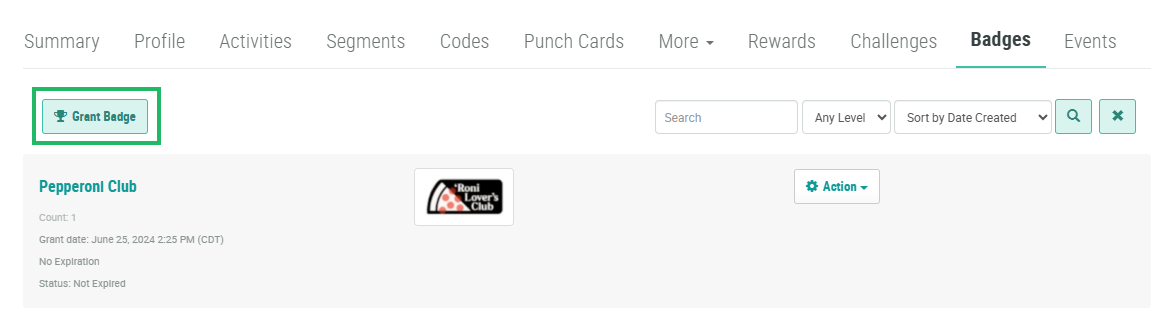
Select the Badges tab.
-
Click Grant Badge. The Grant Badge pop-up window is displayed.
-
From the Badge drop-down menu, search for and select the desired Badge.
-
For Status type Badges, the Level drop-down menu is displayed. From this drop-down menu, select the desired Badge level to grant to this Member.
-
For Collector type Badges, the Badge Count field is displayed. Enter the number of Badges to grant to this Member.
-
Click Save.
